Quick Quality Check
List of QQC outputs
Comparison to the standard BIDS session given by user
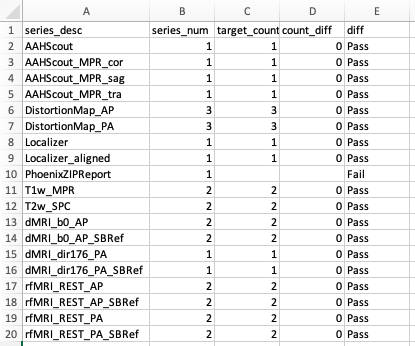
series_count.csv: This shows the comparison of unique series number compared to the standard BIDS session. Look for any extra or missing series.
json_comparison_log.xlsx: compare input dcm2niix sidecar jsons to json in tempalte BIDS data.
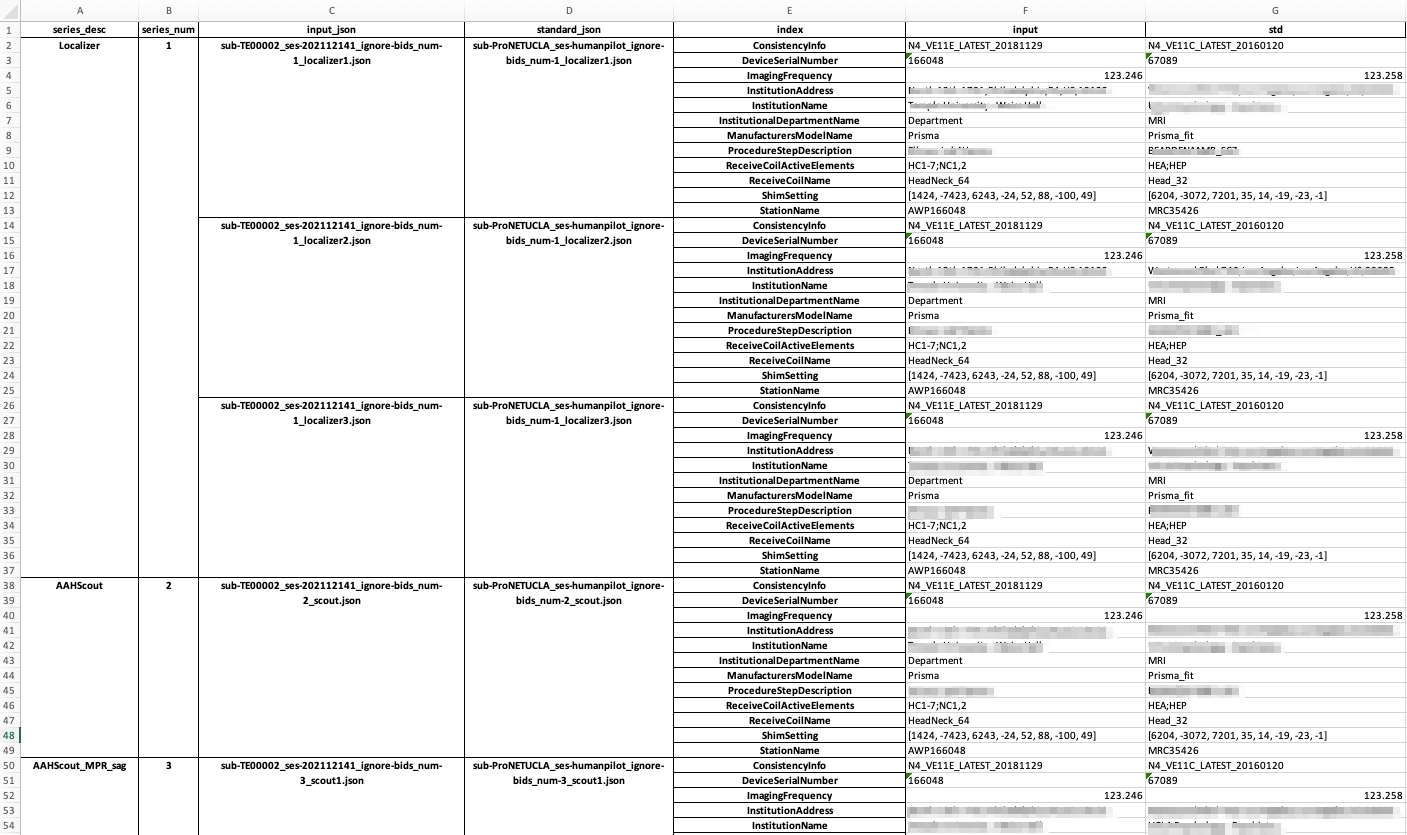
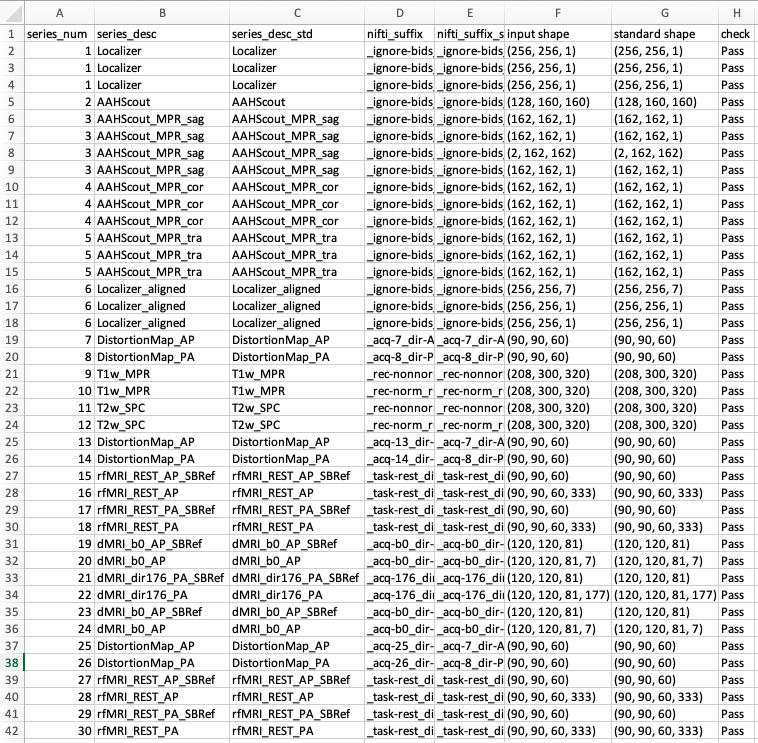
json_comparison_log.txt: same as above in a text format.volume_slice_number_comparison_log.csv: This table shows the shape of each nifti array, and compares to matching nifti file under the given standard BIDS session. Look for any unmatched labels. (Falsein thecheckcolumn)
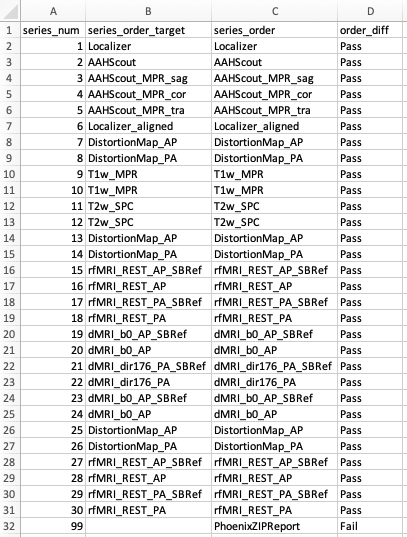
scan_order.csv: check order of series acquisitions against template BIDS data.
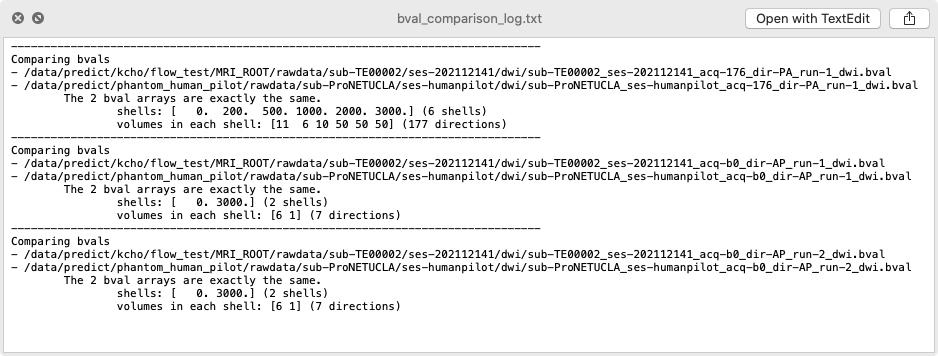
bval_comparison_log.txt: compare b-values and number of shells in DWI against template BIDS data.
Consistency across the series in the same scan session
within_phantom_qc.txt: compare consistency across series in a same session
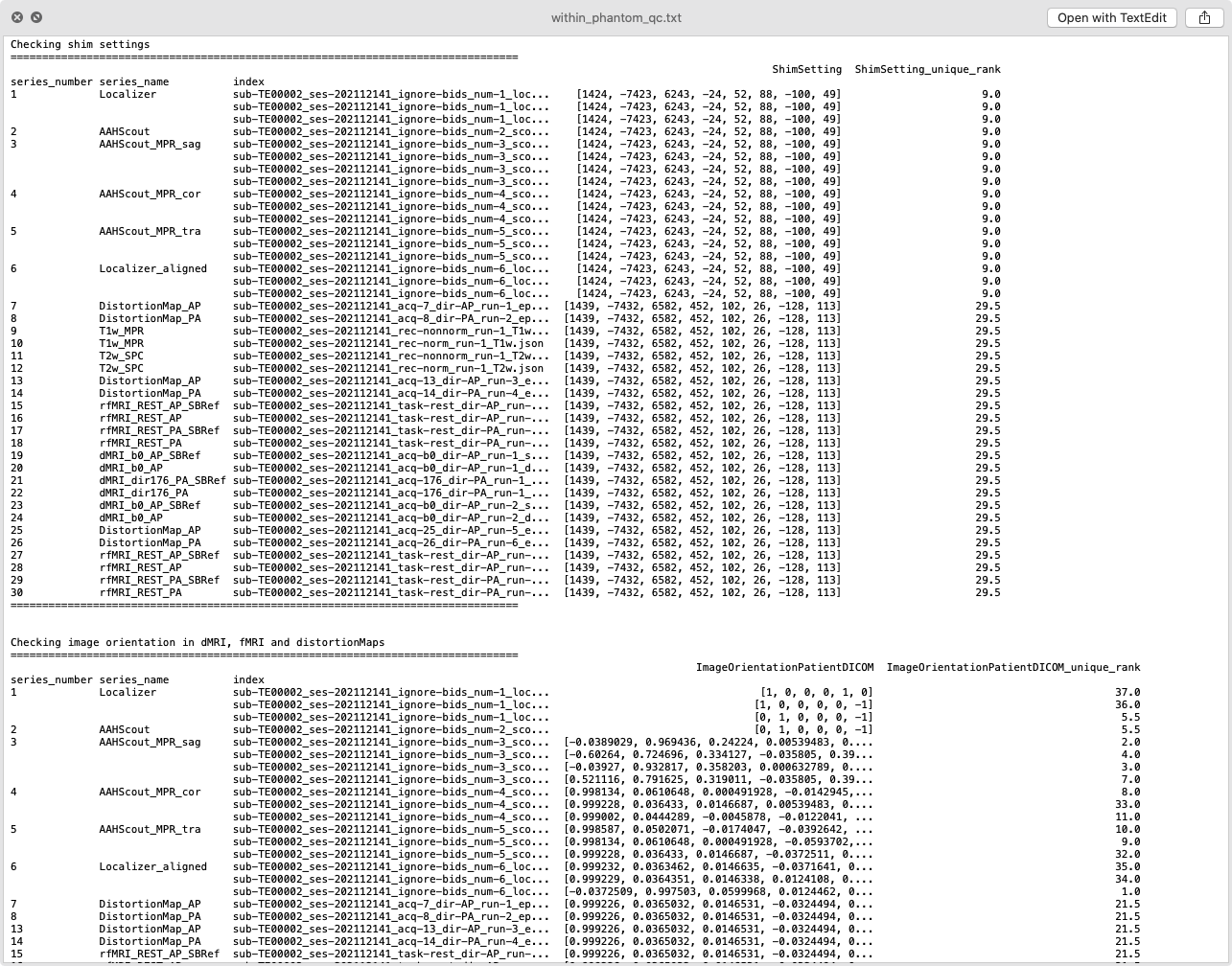
The same information is included in the tables below.
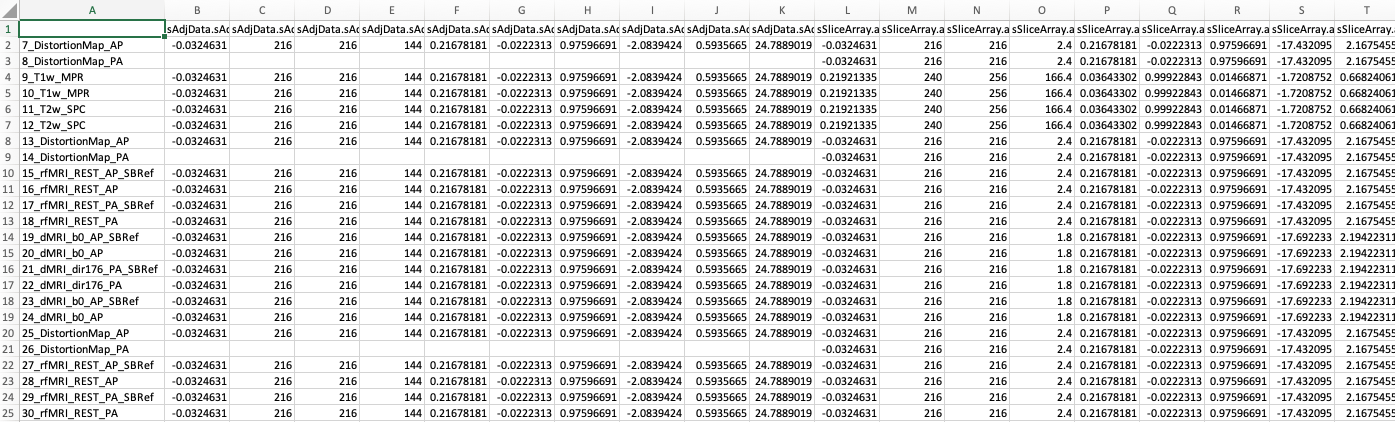
json_check_image_orientation_in_anat.csvjson_check_image_orientation_in_dMRI_fMRI_and_distortionMaps.csvjson_check_shim_settings.csvcsa_headers.csv: extract extra CSA header information for each series.
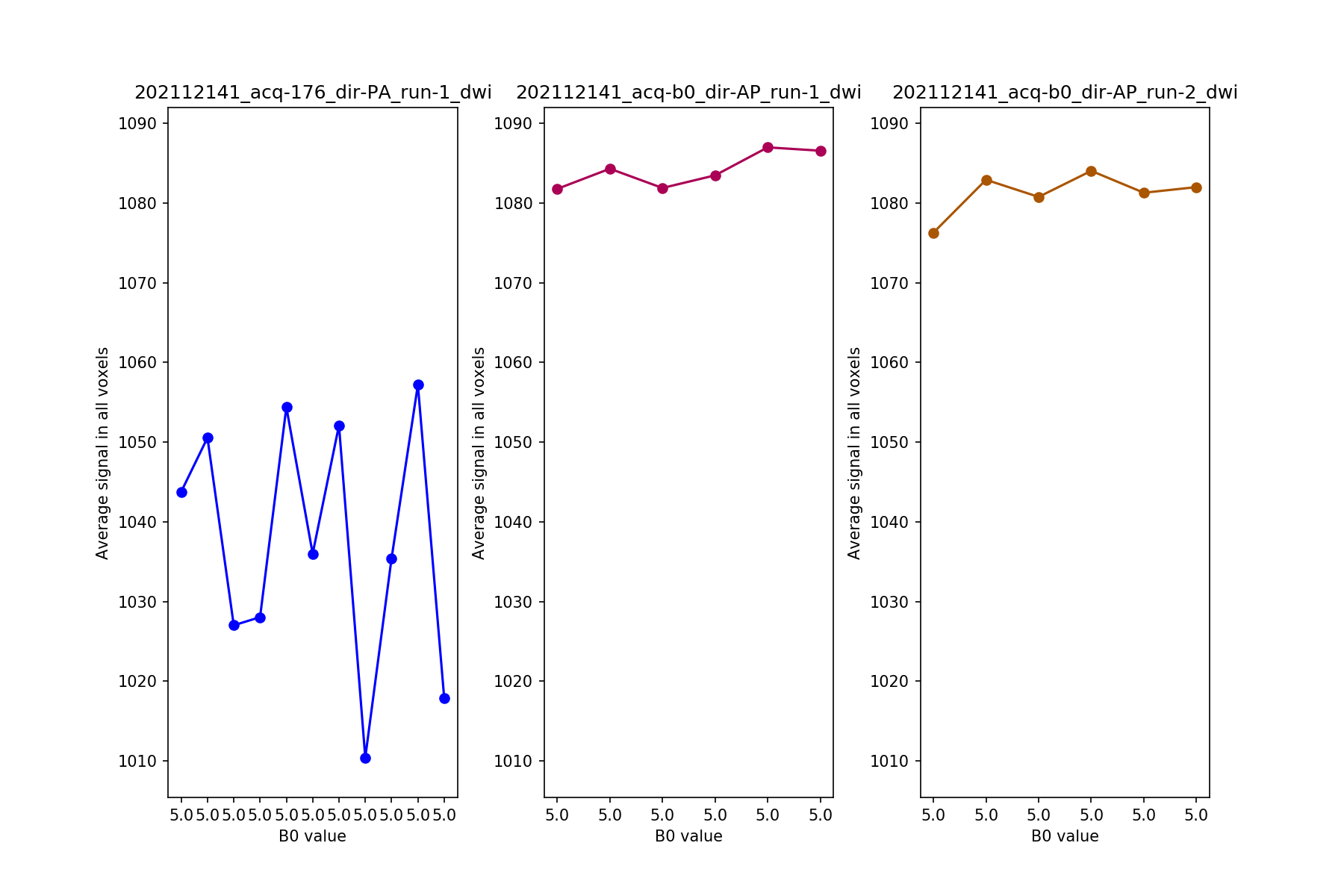
summary_b0.png
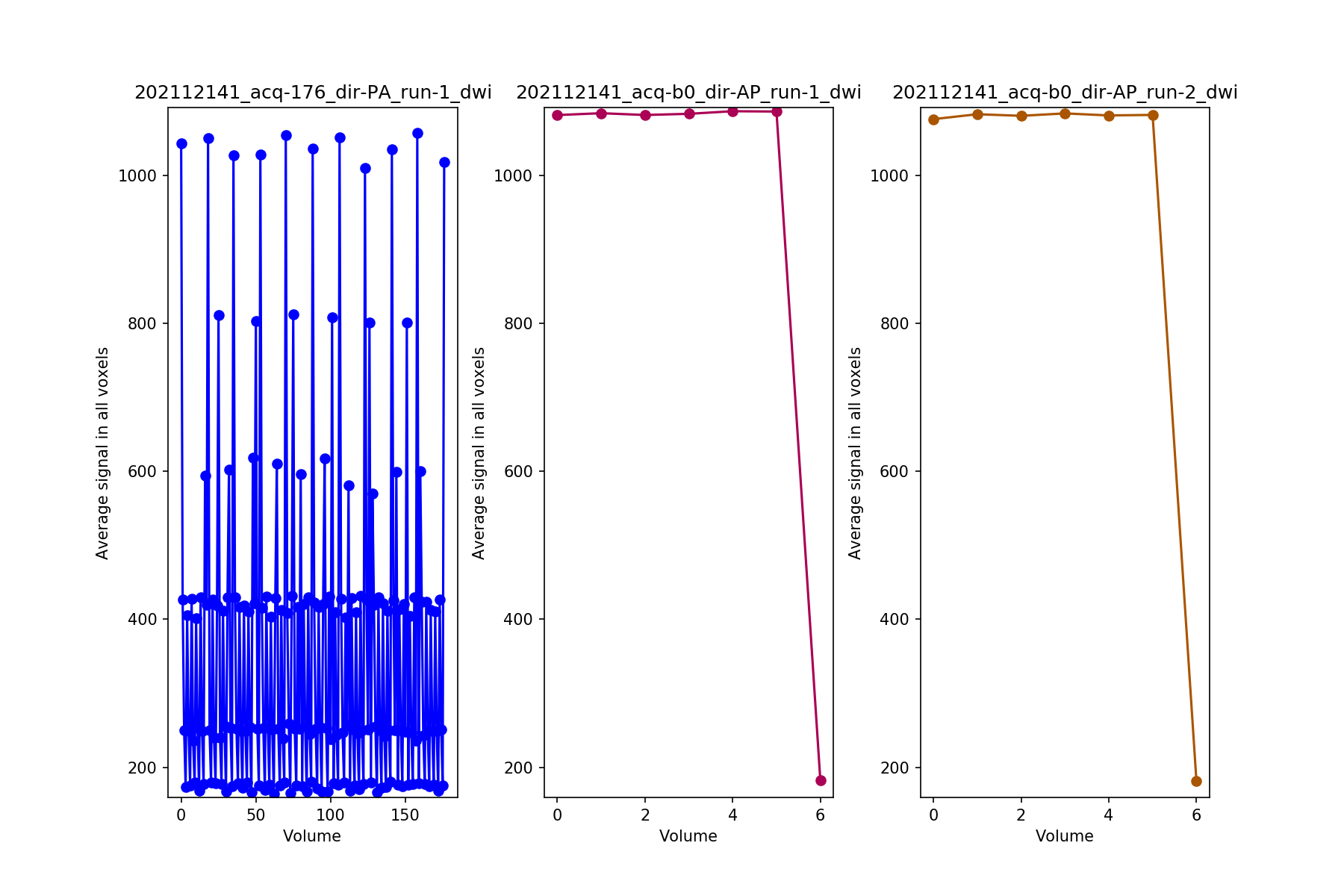
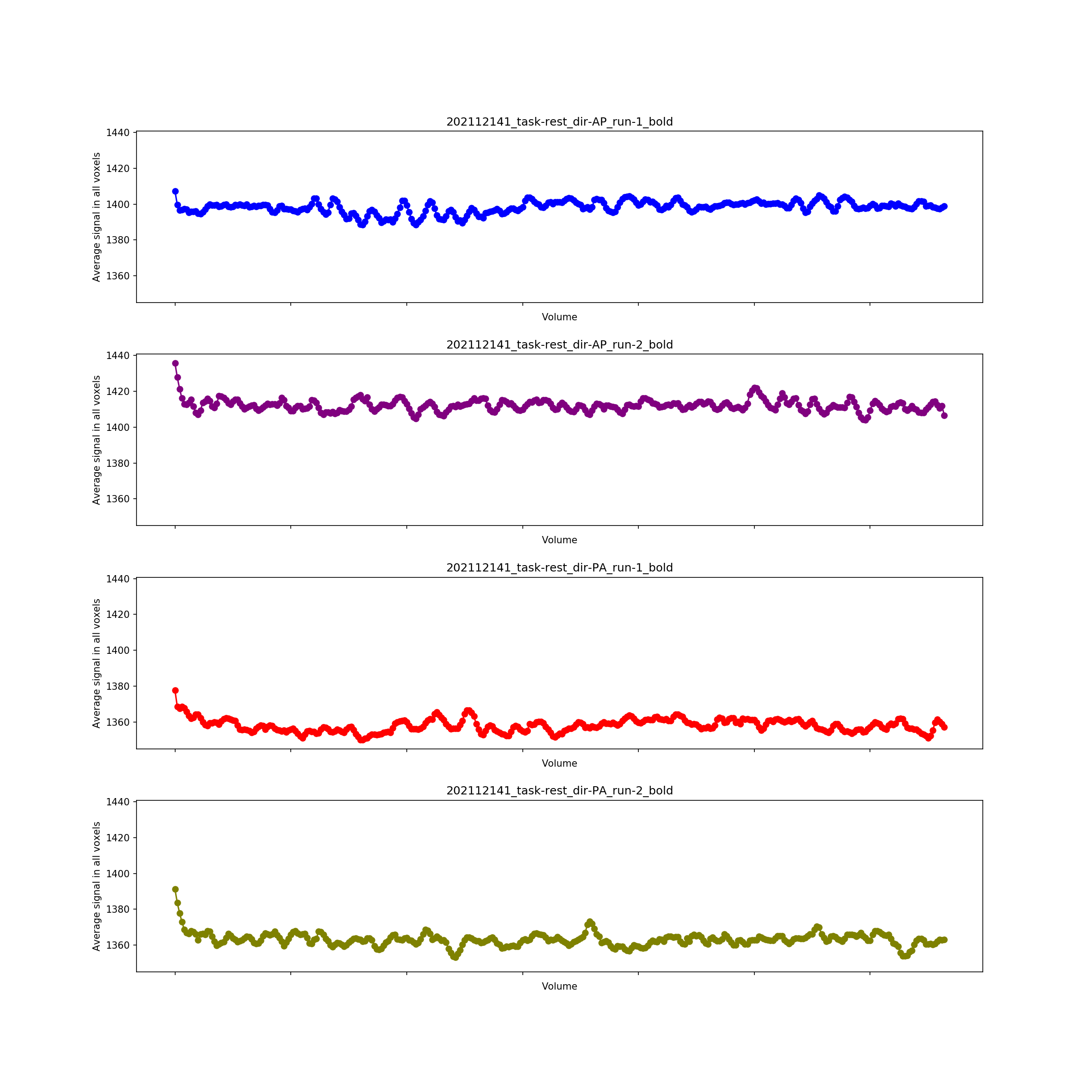
Quick summary of signals in DWI and REST fMRI
summary_dwi.png
summary_fmri.png
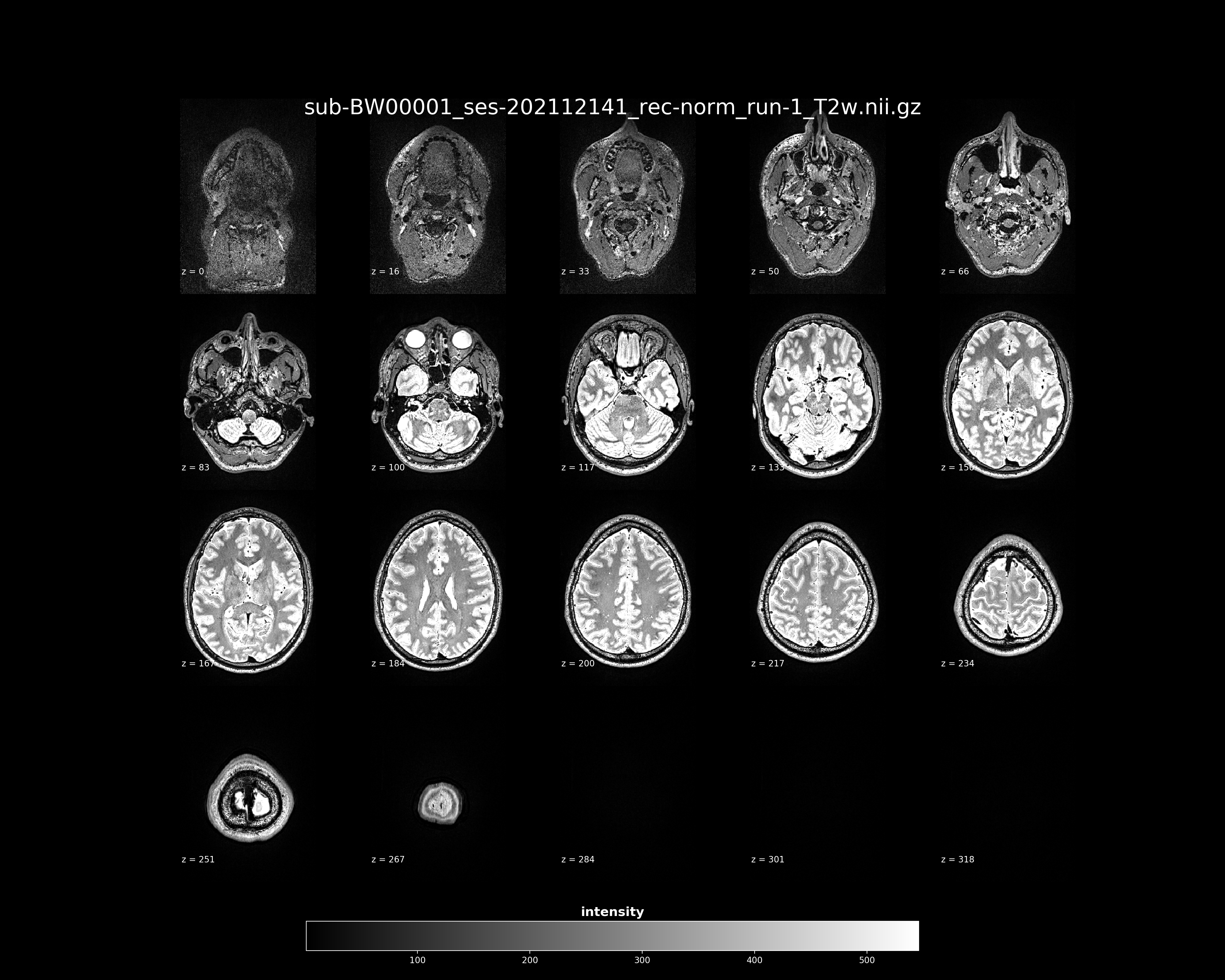
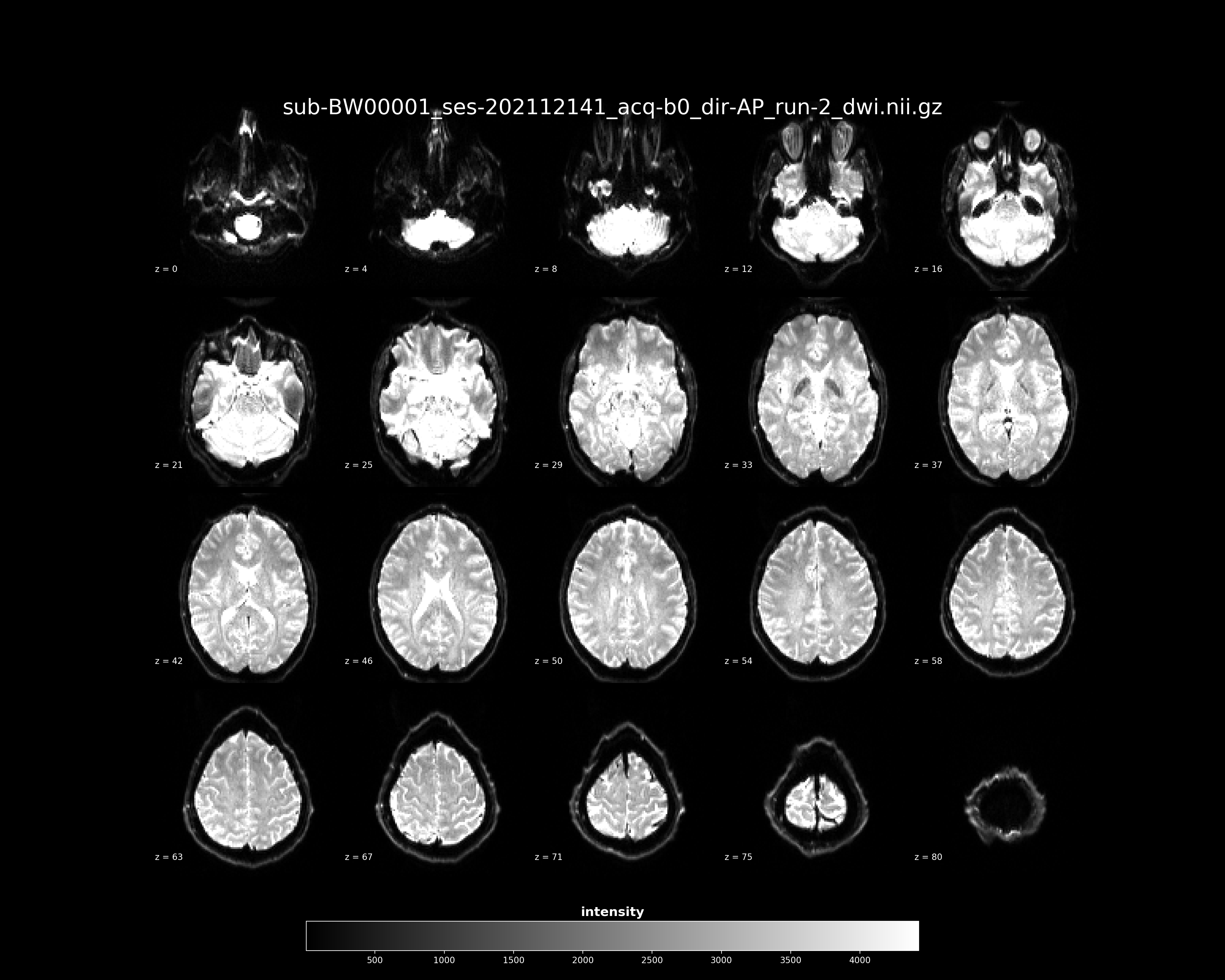
Quick capture of all nifti files
If a nifti file is 4D, only first volume is captured by default.
sub-BW00001_ses-202107221_acq-176_dir-PA_run-1_dwi.pngsub-BW00001_ses-202107221_acq-176_dir-PA_run-1_sbref.pngsub-BW00001_ses-202107221_acq-b0_dir-AP_run-1_dwi.pngsub-BW00001_ses-202107221_acq-b0_dir-AP_run-1_sbref.pngsub-BW00001_ses-202107221_acq-b0_dir-AP_run-2_dwi.pngsub-BW00001_ses-202107221_acq-b0_dir-AP_run-2_sbref.pngsub-BW00001_ses-202107221_rec-nonnorm_run-1_T1w.pngsub-BW00001_ses-202107221_rec-nonnorm_run-1_T2w.pngsub-BW00001_ses-202107221_rec-norm_run-1_T1w.pngsub-BW00001_ses-202107221_rec-norm_run-1_T2w.png
Examples